
Use case · After a game
Understand the game you just played.
An engine can tell you a move was a mistake. The useful part is understanding why — and remembering it next time. Here is how to do that in ChessCanvas.
1. Import the game
Open ChessCanvas and choose Import games… (in Quick start, or the board’s Position menu). Paste a Chess.com or Lichess game link, switch to Recent games to load your latest games by username, or paste a PGN. All you need is a free ChessCanvas account.
2. Think first, then review
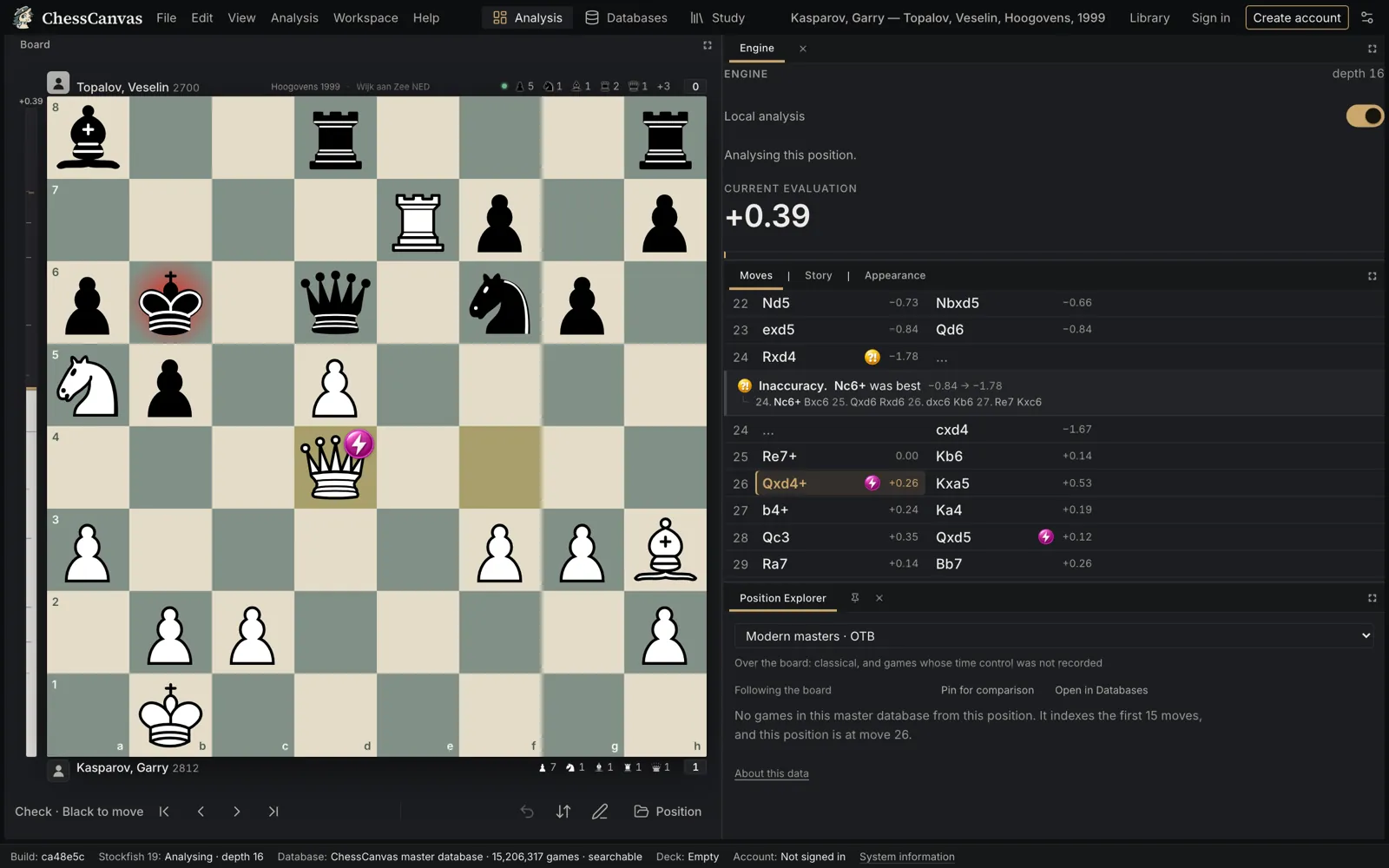
Before you run the engine, play through the game and mark the moments you were unsure about. Then choose Review now in the import dialog, or Review game in the Story tab. Stockfish 19 classifies every move for both players and gives each side an accuracy score.
3. Go to the moments that changed the game
Start with the moves marked Mistake and Blunder, then the inaccuracies. For each one, ChessCanvas shows the move that was better and the evaluation before and after.
4. Understand it, don’t just read it
Use Retry this move to find the better move yourself before looking. Then Play line to see how the engine’s idea continues. Add a variation and a comment in your own words: what you missed and why.
5. Check master practice
If the mistake came from the opening, open the Position Explorer at that move to see what strong players chose and how it scored.
6. Keep the lesson
Create a free account and save the line to a Study chapter, so the lesson is there before your next game.
Keep reading
Analyze a game now.
Free to start: one free account opens analysis, the master database, Tactics and Studies.
Already have an account? Sign in.
Questions
Can I analyze games from Chess.com or Lichess?
Yes. Paste a Chess.com or Lichess game link, load your recent games by username (up to 50), or paste or drop a PGN file. You can also set up any position from a FEN.
Which chess engine does ChessCanvas use?
Stockfish 19, running in your browser on your own device. Your games are not uploaded for analysis and there is no queue. Analysis speed depends on your device.
How does Game Review classify moves?
Each move is marked Theory, Best, As good as best, Sound, Inaccuracy, Mistake or Blunder, and exceptional moves can be recognized as Brilliant. Accuracy and the inaccuracy, mistake and blunder thresholds follow Lichess’s published method, so the numbers are comparable.