
Chess Studies
A place for every position worth remembering.
Studies turn what you discover at the board into organized knowledge: chapters, variations and comments that grow with your understanding.
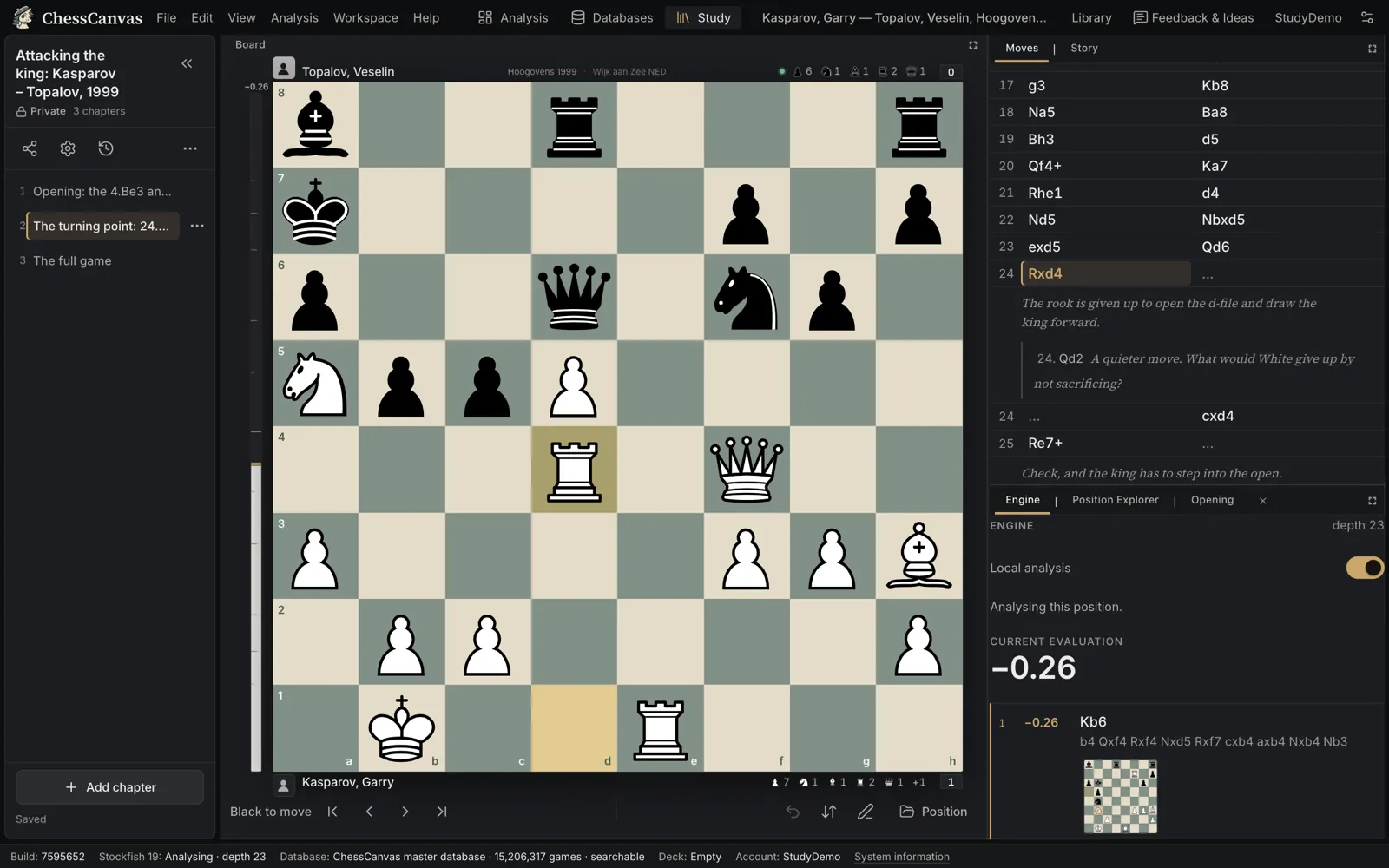
How a Study is organized
- Chapters. One idea, opening line or model game per chapter — up to 200 in a Study.
- Variations and comments. Branch as deep as you need and explain each idea in your own words.
- Many ways in. Start a chapter from a blank board, a FEN, a PGN, your current analysis, a game from the database or another chapter.
- Export. Any chapter downloads as PGN.
Private, unlisted or public
Studies are private by default. Make one unlisted to share it with a link, or public. Readers open a shared Study without needing an account.
Saved to your account
Studies are saved to your free ChessCanvas account, with revision history, so they are there on any device you sign in on. Analysis, the database and Studies all come with the same free account.
Keep reading
Start your first Study.
Free to start: one free account opens analysis, the master database, Tactics and Studies.
Already have an account? Sign in.
Questions
Do I need an account?
No. ChessCanvas is free: create a free account (an email address and a password) and everything in the Studio is open to you: analysis, game review, imports, the master database, Tactics and Studies. Your Studies and imported Chess.com and Lichess games are saved with your account.
Can I create my own Studies?
Yes. A Study holds chapters; each chapter has its own moves, variations and comments. Start a chapter from a blank board, a FEN, a PGN, your analysis or another chapter, and export any chapter as PGN. Studies can be private, unlisted or public.
Does ChessCanvas work on mobile?
Yes. Analysis, Game Review and Studies have a phone layout with the board first. The Databases workspace works on phones but is designed for larger screens.