
How it works
From the game you played to the knowledge you keep.
ChessCanvas is built around one idea: every tool works on the same board and the same position. Here is how one question travels through it.
The seven stages
Understand, Explore, Build, Train, Apply, Analyze, Reinforce. Five of them happen in ChessCanvas today; one happens at your board; one is yours to schedule.
-
Understand
Discover why moves, positions and decisions work.
Engine evaluation, variations, Game Review and your own comments.
In the app -
Explore
Investigate master games, positions, opening choices and alternatives.
The 15.2 million-game database and the Position Explorer.
In the app -
Build
Organize discoveries into Studies with chapters, variations and comments.
Studies, saved to your account.
In the app -
Train
Practice positions, test ideas and build familiarity.
Tactics Lab puzzles by pattern, Retry the move you missed, Thinking Mode and Guess the Move.
In the app -
Apply
Carry what you learned into your games and tournaments.
This part happens over the board, wherever you play.
At your board -
Analyze
Review decisions, find critical moments and inaccuracies, investigate alternatives.
Import the game and review it with Stockfish 19.
In the app -
Reinforce
Return to your discoveries and deepen them over time.
Reopen your Studies and Library whenever you choose.
When you choose
In the appworks in ChessCanvas today At your boardwhat you do in your own games When you chooseno automatic reminders yet
One position, start to finish
-
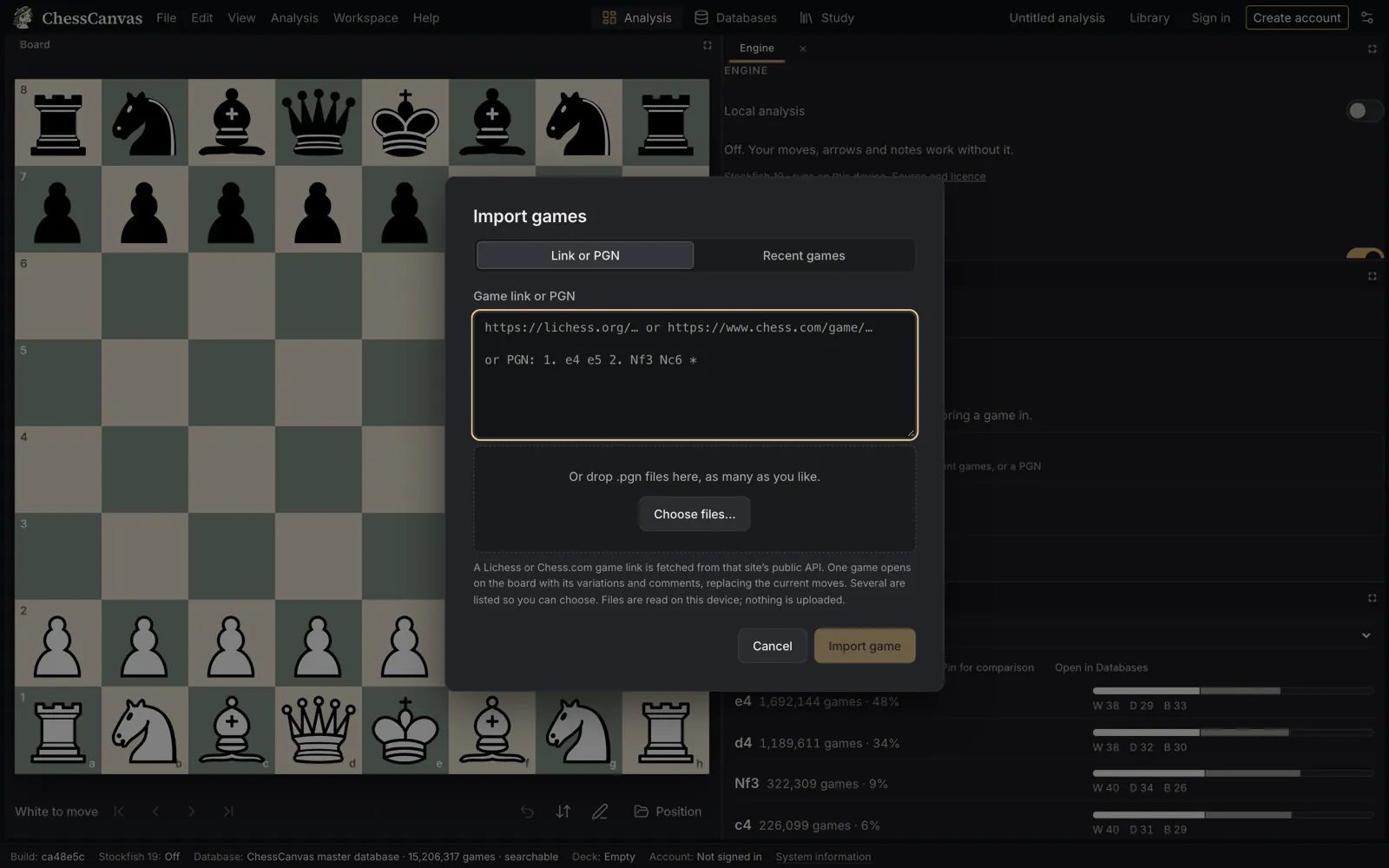
Bring a game
Paste a Chess.com or Lichess link, load your recent games by username, or drop in a PGN. The game is kept in your Library on this device, and you can save it to your account.
-
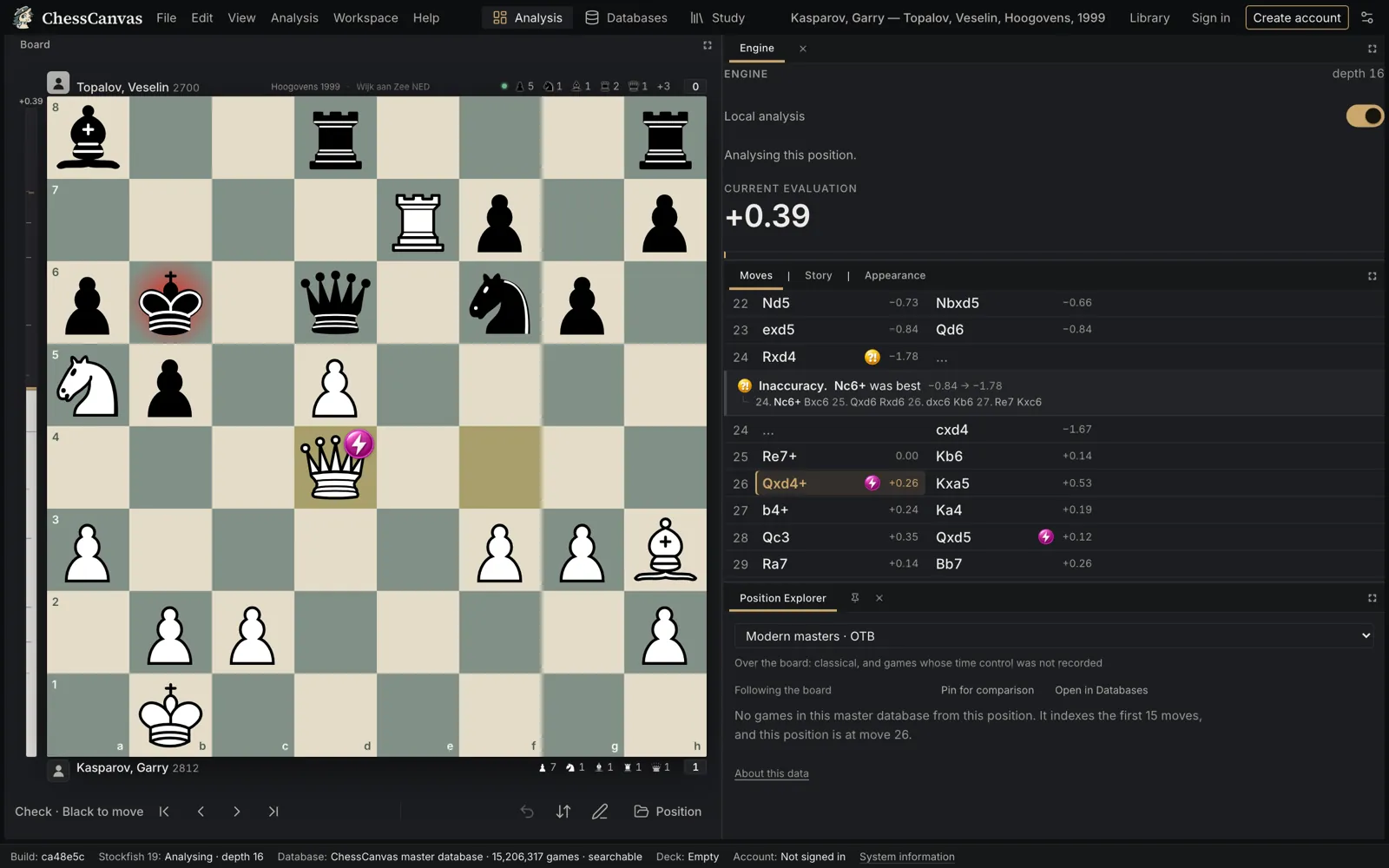
Find the moment that mattered
Run Game Review. Stockfish 19 classifies every move for both players, marks inaccuracies, mistakes and blunders, and shows the better line. Play line plays it out; Retry this move lets you find it yourself.
-
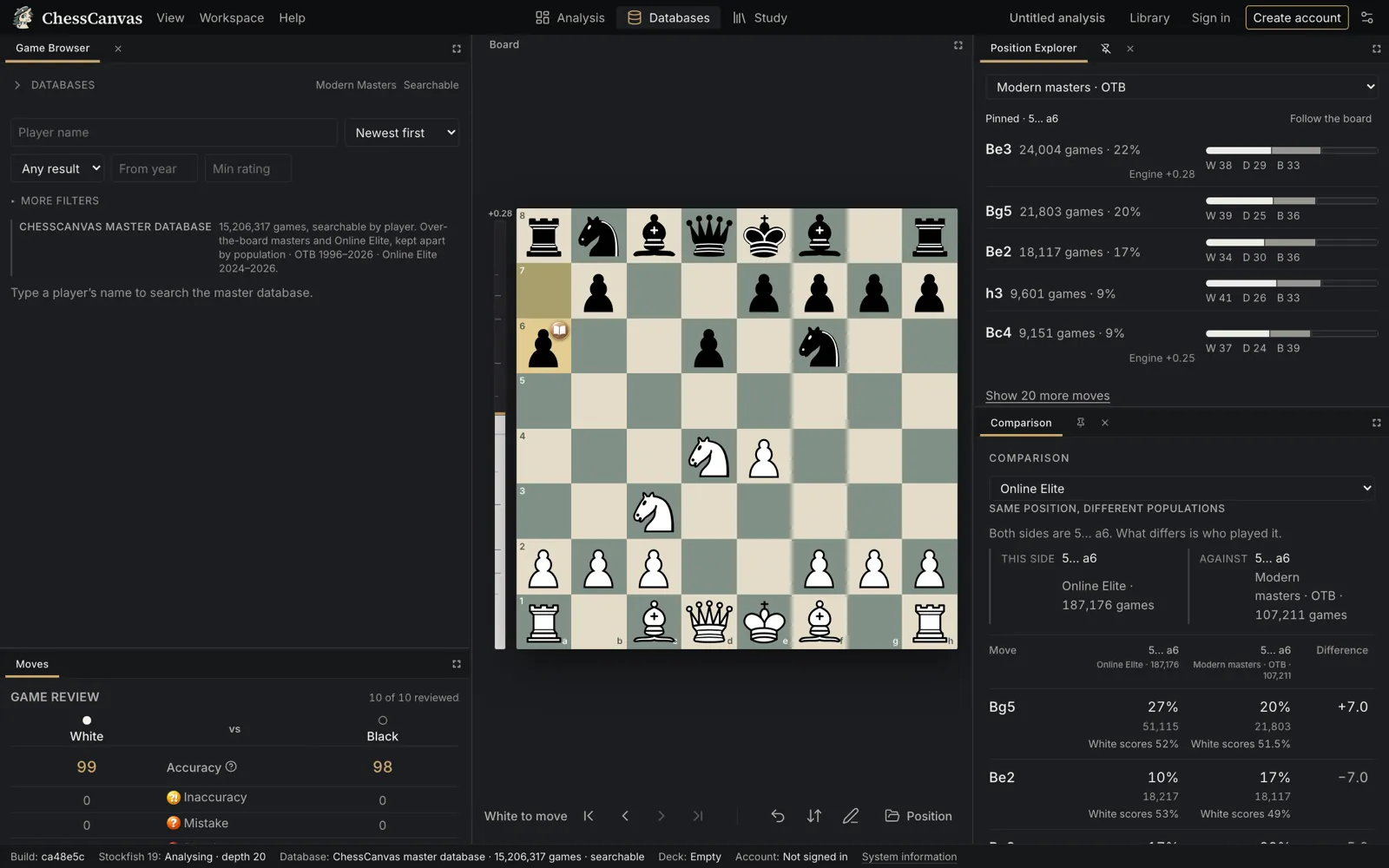
See what masters did here
The Position Explorer follows the board. From the critical position, see which moves were played in master games, how often and how they scored, and open the games themselves. Compare over-the-board practice with the Online Elite collection side by side.
-
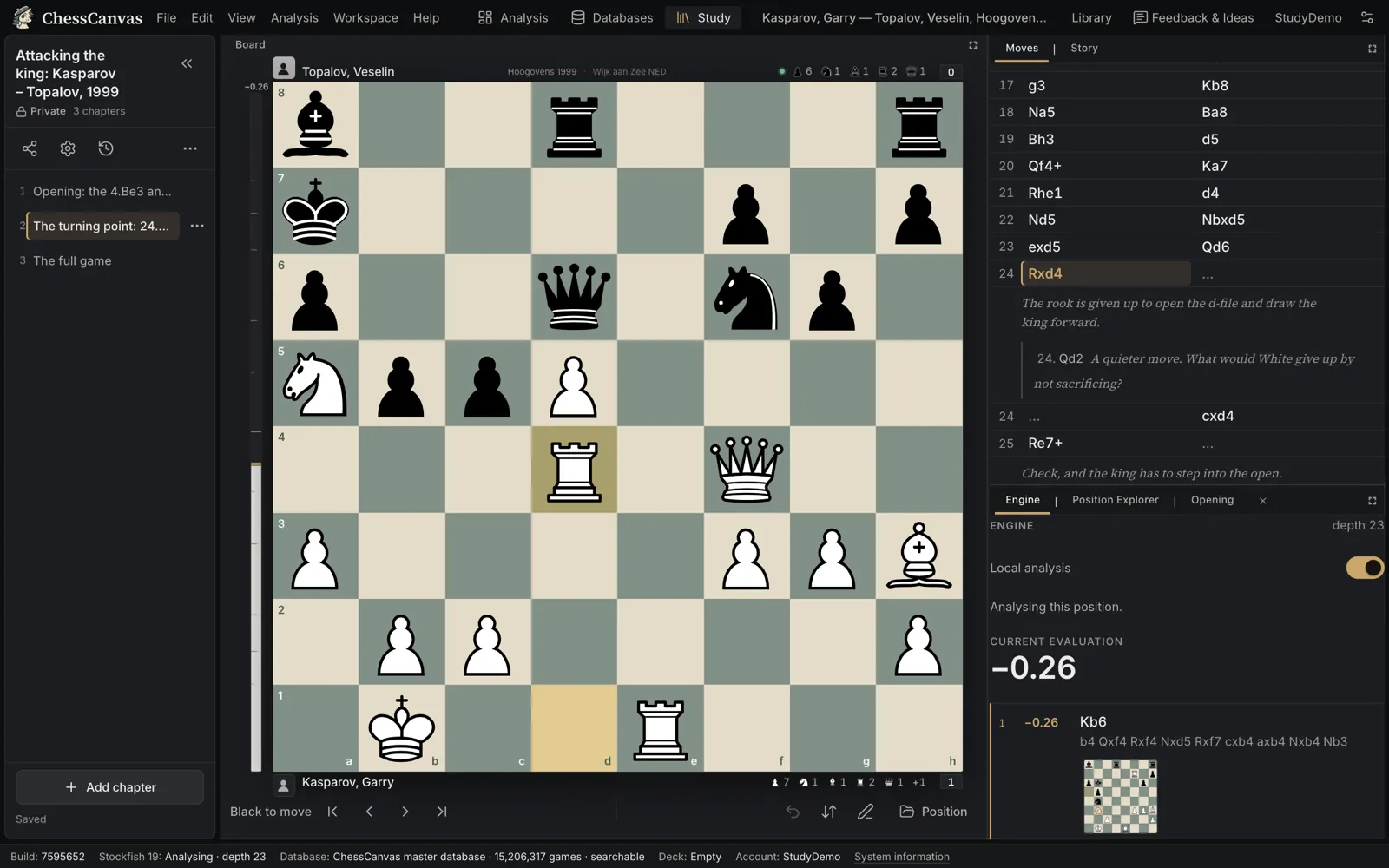
Keep what you learned
Start a Study chapter from your analysis, add the master game as another chapter, and write down the idea in your own words. Studies are saved to your free account and can be private, unlisted or public.
-
Come back to it
Before your next game, reopen the Study. ChessCanvas does not schedule reviews for you yet — you decide when to return, and your notes are where you left them.
Keep reading
Bring your next position.
Free to start: one free account opens analysis, the master database, Tactics and Studies.
Already have an account? Sign in.